Scope configurations
Scope configurations let you define settings like Kubernetes namespace, domain, deployment strategy, and security options directly from the nullplatform UI, using the same provider you already use for cloud credentials and integrations.
Apply them at any level (organization, account, namespace, or individual scope). Set a base domain for the whole organization and override just the namespace per account, without duplicating configuration or managing multiple agents.
How configuration is resolved
When the agent processes an action (like creating or deploying a scope), it resolves each configuration value using this priority order:
- Provider configuration (highest priority) — values set through Platform settings > Scopes > Configurations in the UI
- Environment variables — values set on the agent server, in the notification channel, or in
values.yaml - Default values — built-in fallback values defined in the scope
Every variable always resolves to a value. If you don't configure it explicitly, the scope uses its default.
This feature is fully optional and backward-compatible. Existing setups that rely on environment variables or values.yaml continue to work exactly as before.
Prerequisites
- Role: Ops
- A registered agent-backed scope (for example, the Containers scope)
Create a scope configuration
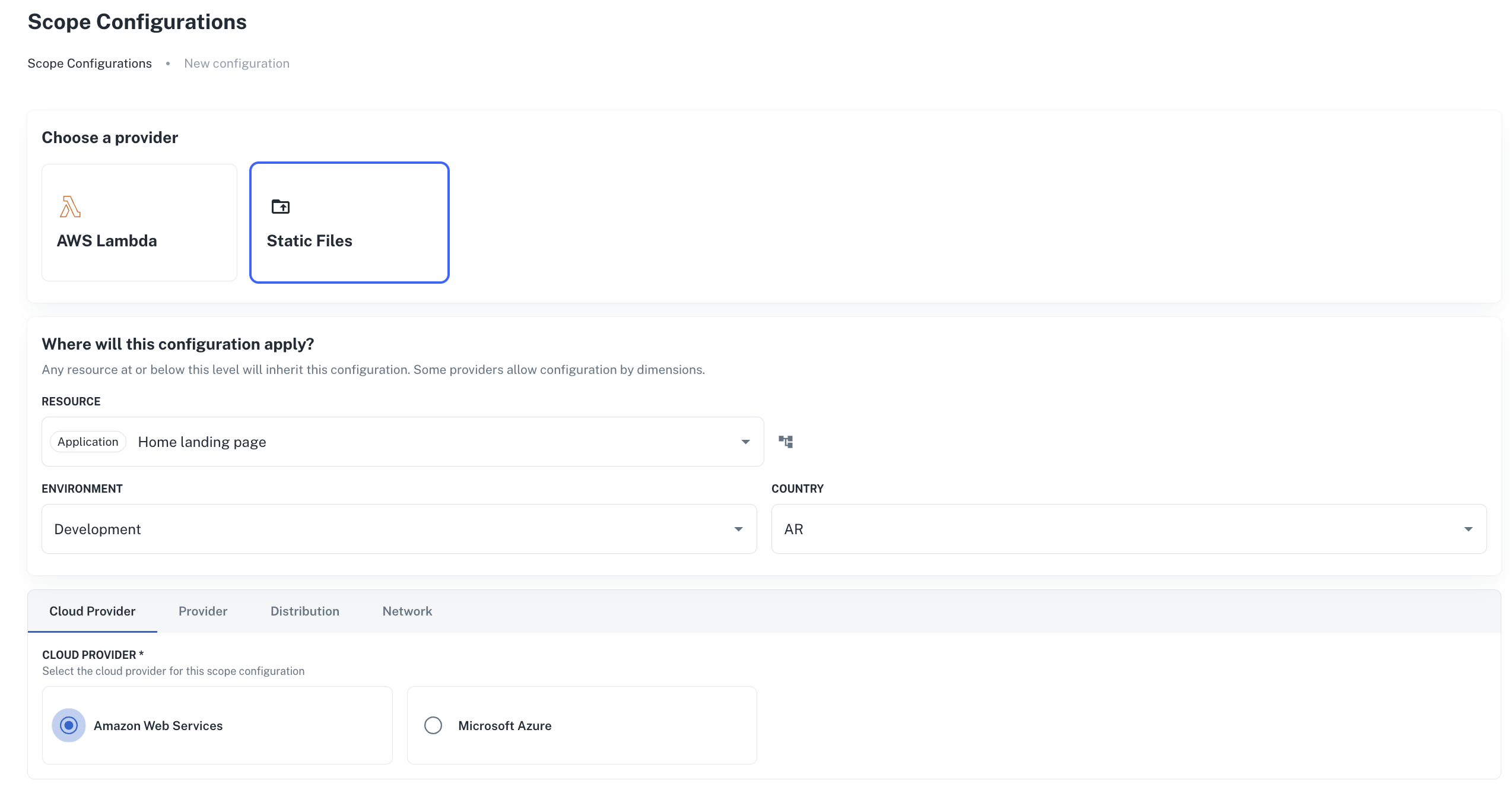
- Go to Platform settings > Scopes > Configurations, and click + New configuration.
- Select Static files as the scope provider.
- Under Where will this configuration apply?, choose the target resource. This can be the entire organization, a specific account, a namespace, or an individual scope.
- Optionally select an environment and dimension values (like country) to narrow when this configuration applies.
- Fill in the settings you want to configure across the available tabs.
- Click Create configuration.
The configuration appears in the Scope configurations list view. It takes effect immediately for any matching scope actions processed by the agent.
Inheritance across levels
To apply different settings at different levels, create multiple configurations. Configurations follow the nullplatform resource hierarchy. A configuration set at a higher level applies to everything below it, unless a more specific one exists:
In this example, Account B and Namespace 1 inherit the domain from the organization level. Account A overrides the namespace, and Namespace 2 overrides it again with its own value. For more details on how inheritance works across the resource tree, see the provider inheritance model.
Configuration reference
The available variables are organized into categories that match the tabs in the UI: Cluster, Networking, Deployment, Security, and Advanced. Each scope type defines its own set of variables.
For the full list of variables, default values, and descriptions, see the Kubernetes scope README.
Next steps
- Configuration-based overrides: override scope defaults using
values.yamlin an override repo - Providers overview: learn how provider inheritance and overrides work across the resource hierarchy
- Containers scope: set up the default Kubernetes scope type