---
sidebar_label: Catalog
toc_max_heading_level: 2
doc_id: 07a17d2e-24a4-44ae-af2d-27a7e378bce2
description: >-
Extend platform entities with structured, validated custom fields using JSON
Schema for forms, dashboards & automation.
keywords:
- catalog
- metadata
- JSON Schema
- custom fields
- entity management
---
# Catalog
:::tip Heads up: metadata is now called catalog
We’ve rebranded *metadata* as *catalog* to better reflect how structured data works across nullplatform.
:::
The **catalog** feature in nullplatform lets you extend and enrich your entities, like builds, applications,
and namespaces—with structured, validated catalogs that power forms, dashboards, and automation across the platform.
With just a few schema definitions, you can:
- Add custom forms to entity creation flows
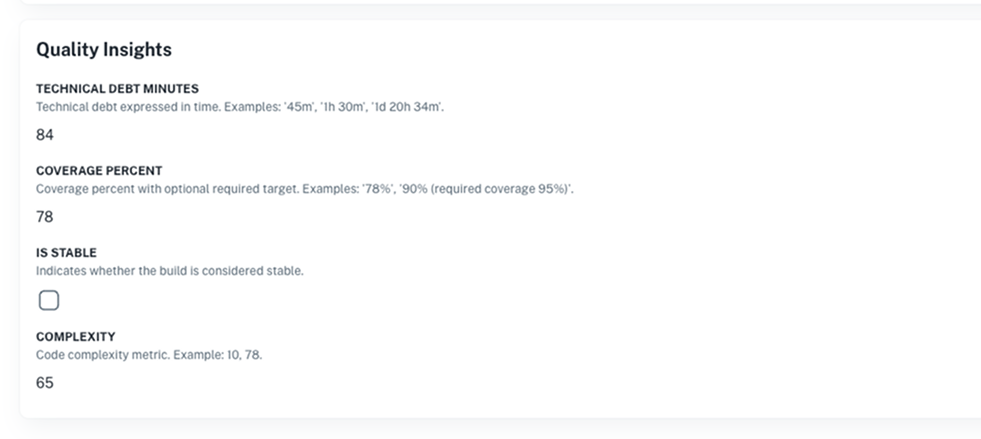
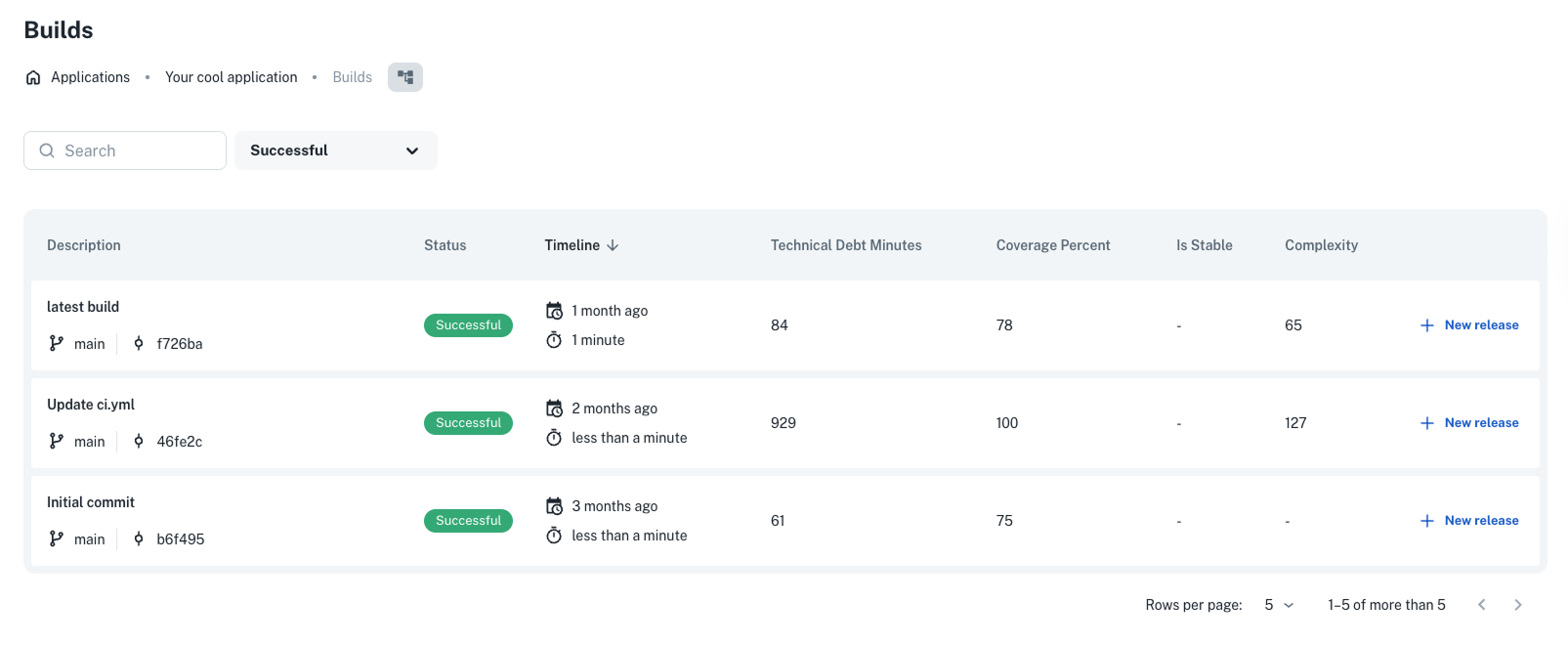
- Display dynamic catalogs in dashboards (like "Quality Insights" for builds)
- Validate inputs automatically
## What is the catalog?
The catalog is a system that brings structure and validation to your platform data. You use it to define **custom fields**, like "compliance level", "application type", or "test coverage", and attach them to any entity.
These fields are defined using [JSON Schema](https://json-schema.org), which means you can:
- Enforce consistent input across teams
- Generate forms automatically
- Control how and where the data appears
It’s:
- **Flexible** – You decide what catalog is relevant for your team.
- **Validated** – Every field follows rules you define in the schema.
- **Scalable** – Specs can be scoped globally or to specific teams using [NRNs](/docs/NRN).
## Core building blocks
The catalog is built on two core components:
- **Specifications**: A JSON Schema that defines what catalog fields an entity can have (and how they behave).
- **Instances**: A filled-out version of that spec, attached to a specific entity.
## Create and edit catalogs directly in the UI
You can now create and manage catalogs **entirely from the UI**, with no API required for most use cases.
Here’s how it works:
- **When you create an entity** (like a namespace or application), nullplatform will show an autogenerated form based on your catalog spec.
- **After creation**, the catalog appears in the entity’s detail view, where users can click **"Show all"** to review or update values.
> 💡 This is available for `namespace`, `application`, and `build`. Specs are still defined via API for now.
## How it works
Here’s the typical workflow:
1. **Define a catalog specification**
Use the API to define the schema, what fields should appear and how they should behave. Here's an example of a
catalog schema for builds:
```json
{
"schema": {
"type": "object",
"properties": {
"coverage_percent": {
"type": "integer",
"description": "Coverage % for this build",
"visibleOn": ["create", "update", "read", "list"]
},
"technical_debt_minutes": {
"type": "integer",
"description": "Time-based tech debt metric",
"visibleOn": ["create", "update", "read"]
},
"complexity": {
"type": "integer",
"description": "Code complexity score",
"visibleOn": ["read"]
},
"vulnerabilities": {
"type": "integer",
"description": "Known vulnerabilities in this build",
"visibleOn": ["read", "update"]
}
}
}
}
```
2. **Create catalog instances (via UI or API)**
Users fill out data in the autogenerated form during entity creation. Later, they can update fields from the
catalog section in the UI.
 3. **Use catalog throughout the platform**
The data appears in dashboards (like “Quality Insights” for builds), filters, and policies.
3. **Use catalog throughout the platform**
The data appears in dashboards (like “Quality Insights” for builds), filters, and policies.
 ### Catalog flow
```mermaid
graph TD
A[Define catalog spec - JSON Schema via API] --> B[Entity is created in the UI]
B --> C[Check for existing catalog spec]
C --> D[If spec exists - show autogenerated form]
D --> E[User fills catalog form]
E --> F[catalog instance is saved]
C --> G[If no spec - skip form]
F --> H[Catalog shown in UI - detail view]
H --> I[Used in dashboards, filters, policies]
```
## Next steps
Here’s what to explore next:
- [See where the catalog appears in the UI](/docs/catalog/where-catalog-appears)
- [Define catalog specifications](/docs/catalog/define-catalog-specs)
- [Create and edit catalog instances](/docs/catalog/instances)
- [Generate built-in components](/docs/catalog/built-in-components)
### Catalog flow
```mermaid
graph TD
A[Define catalog spec - JSON Schema via API] --> B[Entity is created in the UI]
B --> C[Check for existing catalog spec]
C --> D[If spec exists - show autogenerated form]
D --> E[User fills catalog form]
E --> F[catalog instance is saved]
C --> G[If no spec - skip form]
F --> H[Catalog shown in UI - detail view]
H --> I[Used in dashboards, filters, policies]
```
## Next steps
Here’s what to explore next:
- [See where the catalog appears in the UI](/docs/catalog/where-catalog-appears)
- [Define catalog specifications](/docs/catalog/define-catalog-specs)
- [Create and edit catalog instances](/docs/catalog/instances)
- [Generate built-in components](/docs/catalog/built-in-components)