Track a runtime migration with Governance and Insights
🎯 Goal: Make sure no Lambda function gets blocked by the Node.js 20 deprecation. Flag every affected scope and get a live migration dashboard so your team can track progress, all in two prompts.
Introduction
When a runtime version reaches end-of-life, you need to find every service running it, assign responsibility, and track progress without losing visibility. Doing this manually means cross-referencing scope configurations, creating tickets one by one, and building reports in a spreadsheet.
This tutorial shows the same workflow done with two prompts. The first prompt scans all serverless scopes for Node.js 20 and creates a tracked action item for each one. The second builds a dashboard that shows migration progress across your organization in real time.
This example uses AWS Lambda + Node.js 20 (deprecated April 30, 2026), but the same approach works for any runtime deprecation.
What you'll set up
By the end of this guide, you'll have:
- An "Engineering" category for migration action items
- One action item per affected Lambda scope with the scope as the associated NRN
- A live Insights dashboard tracking migration completion rate, item breakdown, and the full action item list
Prerequisites
- The nullplatform AI plugins installed. See Set up the AI plugins.
- Access to Insights in your nullplatform organization
Phase 1: Create action items with np-governance
1. Run the governance prompt
Open a Claude Code session and run:
/np-governance I want to create action items in the "Engineering" category with HIGH criticality.
AWS Lambda is deprecating Node.js 20, so I need you to find all serverless scopes running
version 20.x and create a migration action item for each one.
Use the scope NRN as the associated NRN.
The plugin:
- Lists all scopes of type
serverlessacross your organization - Filters for those with a runtime version matching
20.x - Ensures the "Engineering" category exists (creates it if needed)
- Creates one action item per affected scope with
HIGHpriority, linking the scope as the NRN
✅ Checkpoint — Action items created
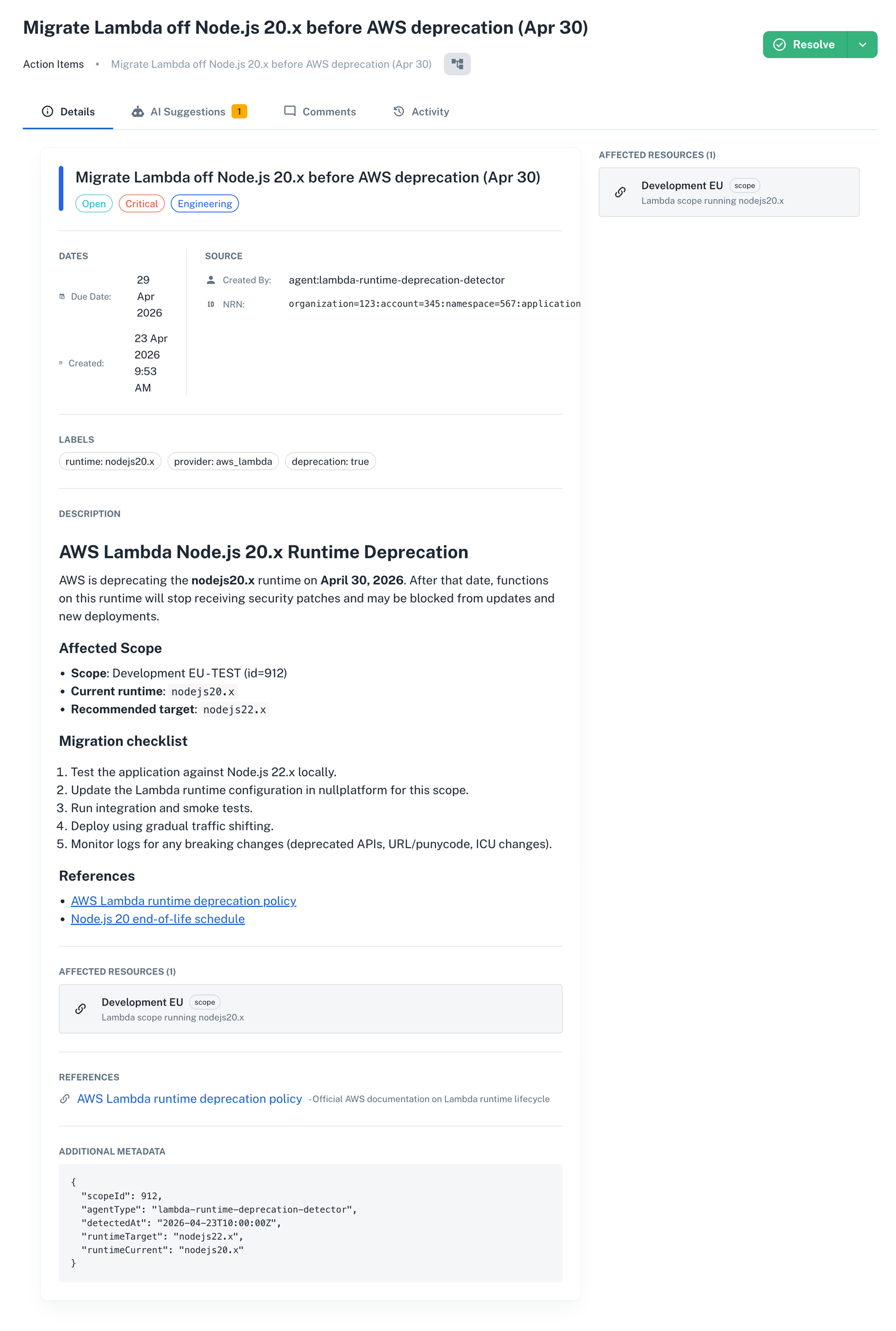
Open any affected application and go to Manage > Action Items. You'll find the migration item for that scope, with HIGH priority and the full remediation checklist in the description.
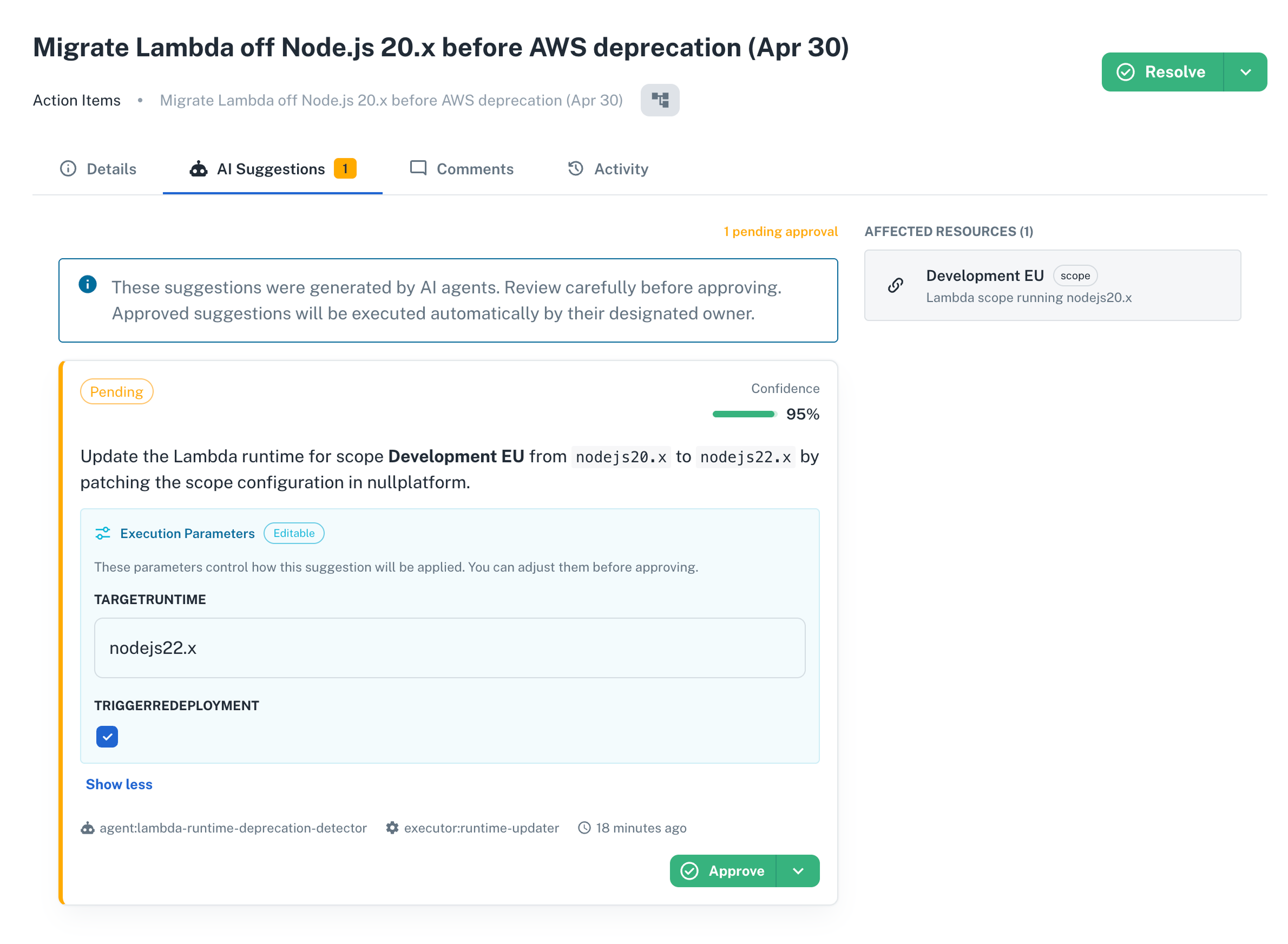
Each item also comes with an AI suggestion in the AI Suggestions tab. The suggestion proposes updating the runtime to nodejs22.x and waits for a human to approve before anything runs.
Phase 2: Build a tracking dashboard with Insights
2. Open the Insights AI Builder
- In the nullplatform UI, open Insights from the top navigation.
- Click + New Dashboard.
- The AI Builder chat panel opens on the right.
3. Run the Insights prompt
Type this in the AI Builder chat:
Create a dashboard to track the completion of action items in the "Engineering" category
related to migrating Lambda from Node.js 20.x to a newer version.
I want charts to understand where we are, followed by the full list of action items.
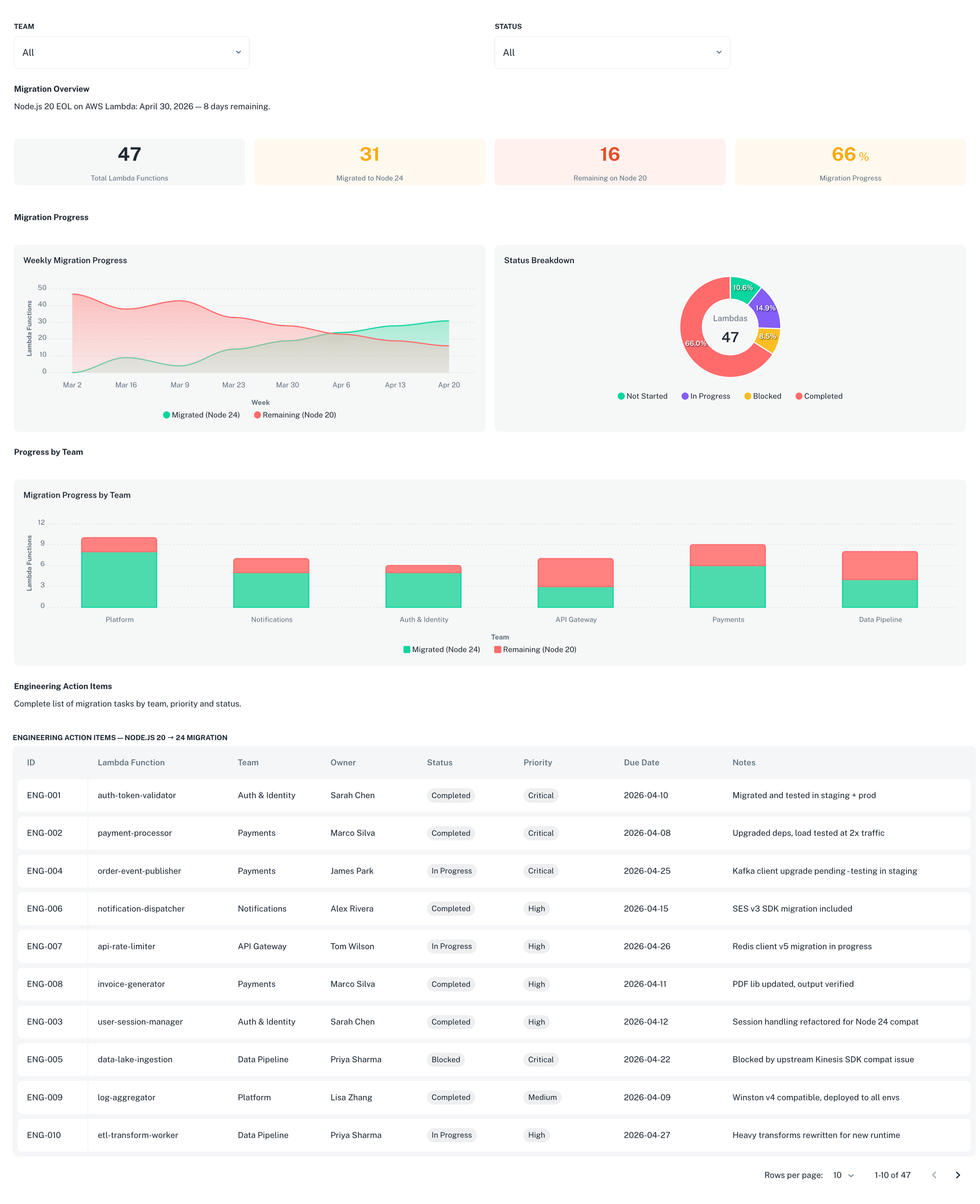
The AI Builder generates a dashboard with:
- KPI summary row: total items, open items, closed items, and completion rate
- Status distribution chart: a donut or bar chart breaking down items by status
- Full action items table: the complete list with title, status, priority, application, and creation date
4. Save and share the dashboard
- Click Save to save the dashboard.
- To share it with your team, click Publish and set visibility to Organization.
The dashboard updates in real time as developers close action items. Anyone with access to Insights can open it and see the current migration status without asking for a status update.
Wrap-up 🎉
In two prompts you:
- Identified every Lambda scope running Node.js 20.x across your organization
- Created a high-priority action item for each affected scope, with the scope as the tracked entity
- Built a live dashboard showing migration progress that the whole team can access
The same two-prompt pattern works for any runtime or dependency migration: find the affected scopes, create the action items, build the dashboard.
What's next
- Detect stale applications with AI: another governance sweep you can run with a single prompt
- Enforce build quality gates for prod deployments: block risky builds from reaching production automatically