December
Welcome to our changelog! 🚀
Stay updated on the latest changes and improvements in nullplatform.
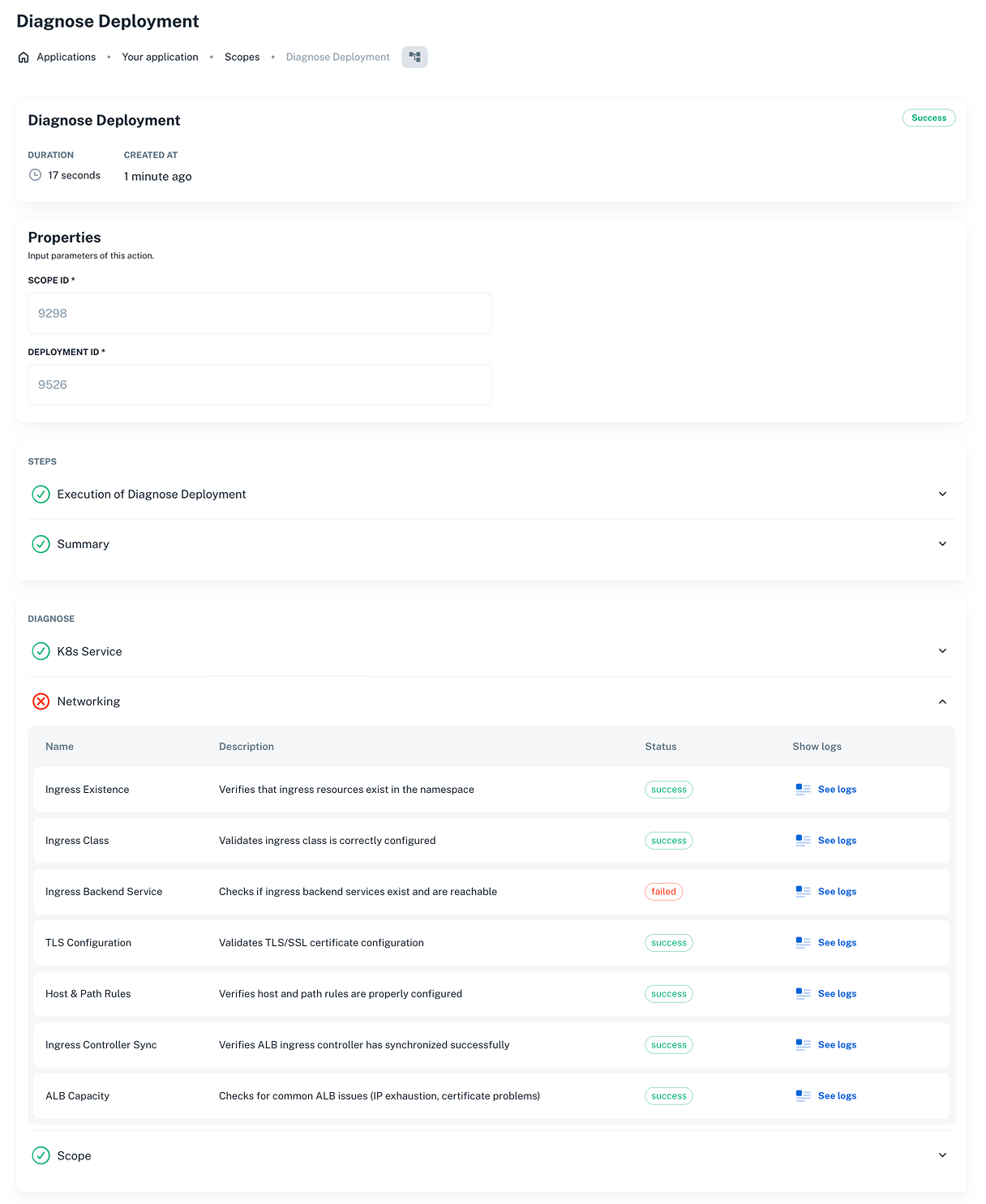
✨ Diagnose and troubleshoot tool for K8s agent-backed scopes
We’ve rolled out a new diagnose tool for Kubernetes agent-backed scopes that runs a set of automated checks, allowing you to self-serve and troubleshoot the most common failure scenarios.
How it works:
- Go to Development > [choose an Application] > Scopes.
- Select the scope you want to diagnose and open the Actions menu.
- Click Diagnose.
This opens the Diagnose view and starts a new run immediately.
Key features:
- The Diagnose tool automatically triggers when a scope fails, so you don’t have to guess where things went wrong.
- You can also run it manually whenever you want, if you’re investigating an issue or just want a quick health check.
👉 Learn how it works in the Diagnose tool docs.
✨ Scope stability improvements
We made several improvements to reduce common deployment failures and help scopes progress more predictably:
-
Namespace validation + auto-creation
Scopes now validate namespaces before deploying — and can create them automatically when needed. This helps prevent failed deployments caused by missing namespaces. -
Wait for ingress reconciliation
Scopes now wait until ingress resources have reconciled before moving forward. This reduces cases where a deployment completes but the application is still unreachable because ingress controllers haven’t finished applying changes.
👉 More info in our Agent-backed scopes docs and Scopes repo.
✨ Authenticate agents with API keys at any NRN
Agents can now authenticate with API keys at any NRN level, not just a single account.
The Agents API reads NRN permissions (controlplane:agent) from the API key to populate the nrns list for each agent. That means one agent can cover multiple organizations, accounts, namespaces, and more.
You can also filter agents by NRN with the new nrn query parameter when listing them.
👉 See our Authenticate agents docs for more info.
✨ Identify who triggered service and link actions
When you run a service action or a link action (like creating or updating a service), it’s helpful to know who triggered it — especially when you’re reviewing changes, troubleshooting issues, or auditing activity.
Actions now capture the user ID of the person who initiated the action through a new created_by field.
This unlocks practical workflows like:
- Audit and ownership: quickly see who requested an action during an incident investigation.
- Smarter automations: tailor behavior based on who triggered it (for example, allow only specific roles to run certain actions).
- Custom actions: use the user's identity to power workflows like creating a database user and sending access details automatically.
👉 Check our Services docs for more info.
✨ Easier log navigation in the UI
The log viewer is now easier to navigate and monitor — especially when you’re debugging issues in real time:
- Better navigation: Logs now scroll within the table, and a fullscreen view gives you more space to read and filter.
- New footer controls: Quickly jump to the top or bottom, load more logs (handy with relative filters), and see the active date range.
- Clearer live tailing: Status indicators plus pause/resume controls in the footer. It auto-pauses when you scroll up and auto-resumes when you return to the bottom. The footer also shows timestamps for the last log received and the last check so you know data is flowing.
✨ CLI 2.4.2 release
We’ve released version 2.4.2 of the nullplatform CLI, bringing new features and fixes.
What’s new:
- Support for installation on Windows
- Dependency updates to address known vulnerabilities
👉 See the CLI docs for more info.
That’s a wrap for 2025 — thanks for building with us. From the nullplatform team! ❤️