October
Welcome to our changelog! 🚀
Stay updated on the latest changes and improvements in nullplatform.
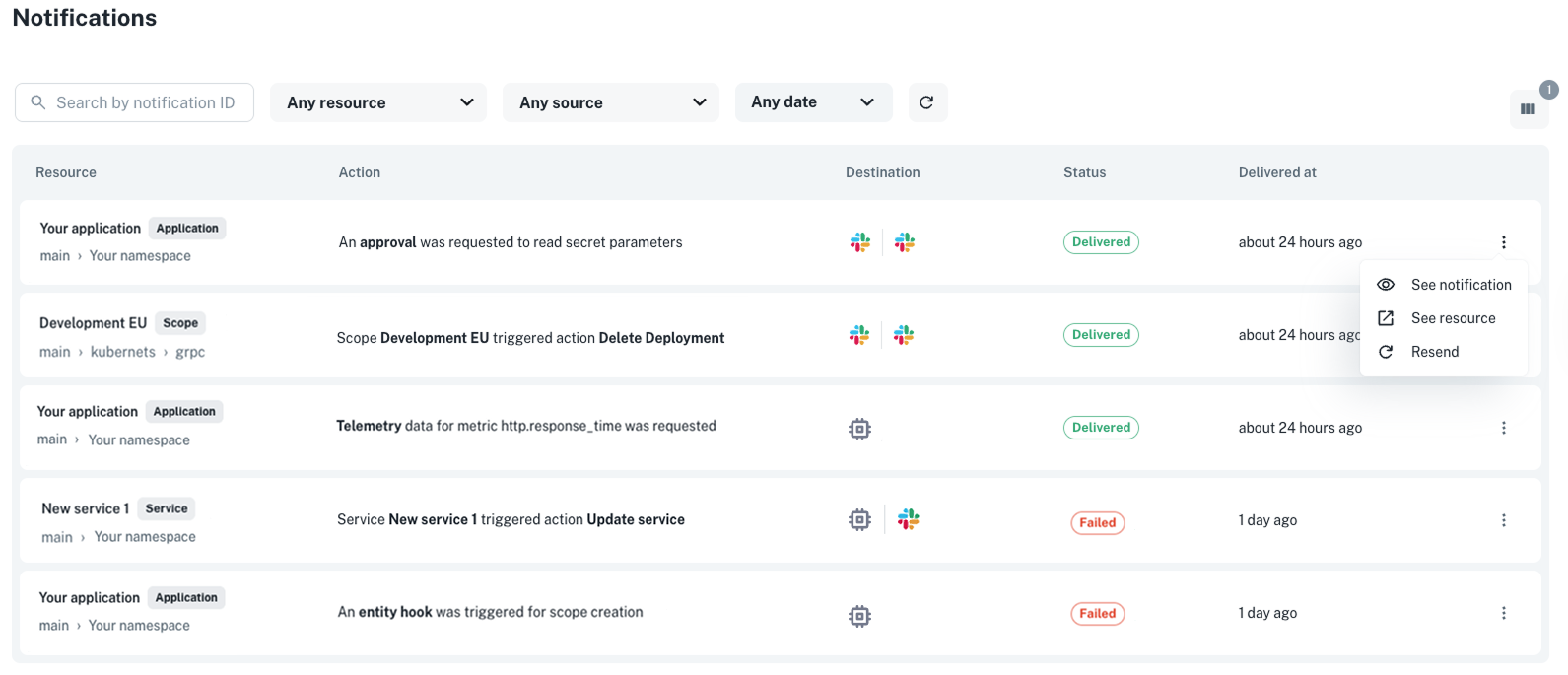
✨ New notification events view
Ever wondered what happened to a notification that didn’t reach its destination? You can now inspect, debug, and resend notifications with the new Notification Events view, a single place to understand exactly how notifications are triggered and delivered across your organization.
Where to find it: Go to Platform settings > Notifications > Events.
Use it to check whether a notification was created correctly, see its delivery status, or inspect the reason behind a failure. If something went wrong, you can resend the notification to verify that your fix (for example, updating a channel configuration) worked as expected.
You can also access notification event data programmatically via our API.
👉 See the Notification events docs for more info.
✨ Manage which templates users can use to create applications
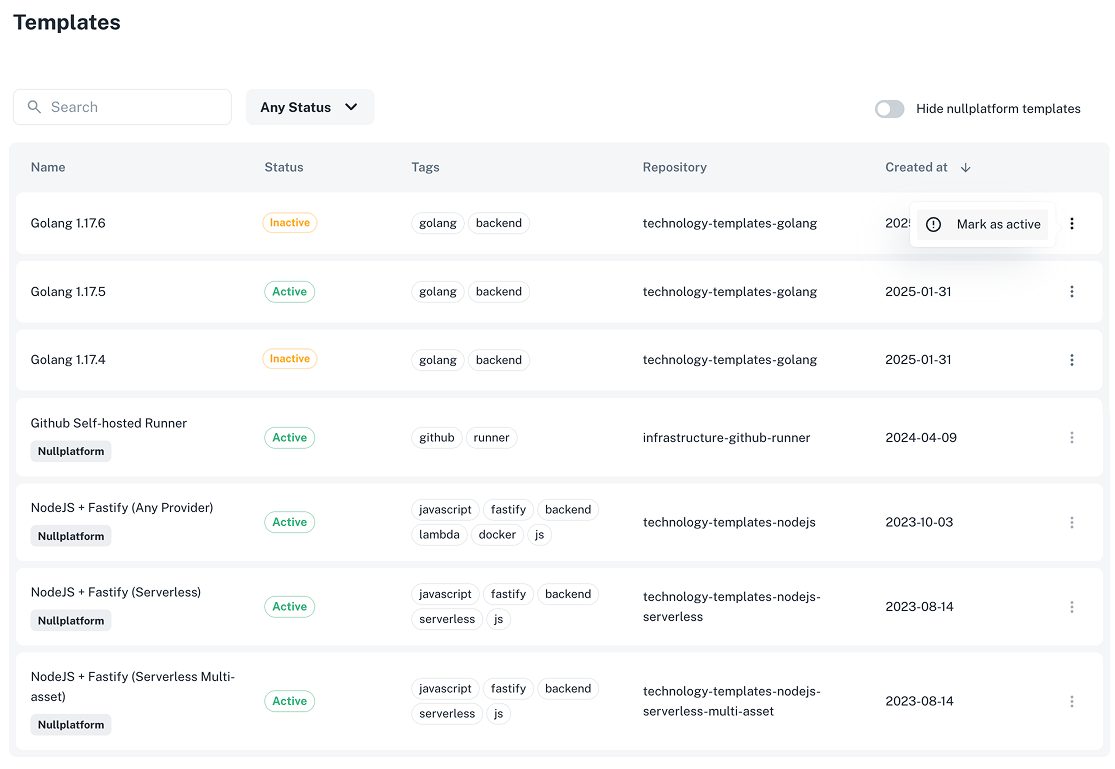
You can now use the new Templates view in Platform settings to see all the technology templates available in your organization.
This view shows both:
- Templates that belong to your organization.
- Templates that are provided by default by nullplatform.
From here, you can control which templates developers can select when creating new applications.
Here’s how it works:
-
You can hide all default nullplatform templates by enabling the toggle “Hide nullplatform templates.”
When enabled, these default templates will not appear as selectable options for developers when creating new applications, but they will still be visible in the Templates view. -
For organization-owned templates, you can individually mark them as Active or Inactive.
Only templates marked as Active will be available for your developers to use.
This allows you to curate which internal templates remain visible and selectable for application creation.
👉 See the Templates docs for more info.
Where to find it: Go to Platform settings > Templates.
✨ Control which scope types developers can use
You can now decide which scope types developers can select when creating new scopes. This prevents misconfigurations and streamlines scope creation for your team.
Before, the Target selector showed all available scope types in nullplatform (such as Serverless, Instances, or Kubernetes).
Now, it only displays the scope types configured in Platform settings, so developers can pick from the options approved and supported by your organization.
For example:
- Serverless will appear only if there’s a provider configured under Compute management > AWS Lambda.
- Instances will appear if there’s a provider under Compute management > AWS EC2.
- Kubernetes will appear if you have a provider configured under Container orchestration > EKS, AKS, or GKE.
👉 See the Providers docs for more info.
✨ Create releases directly from the Releases view
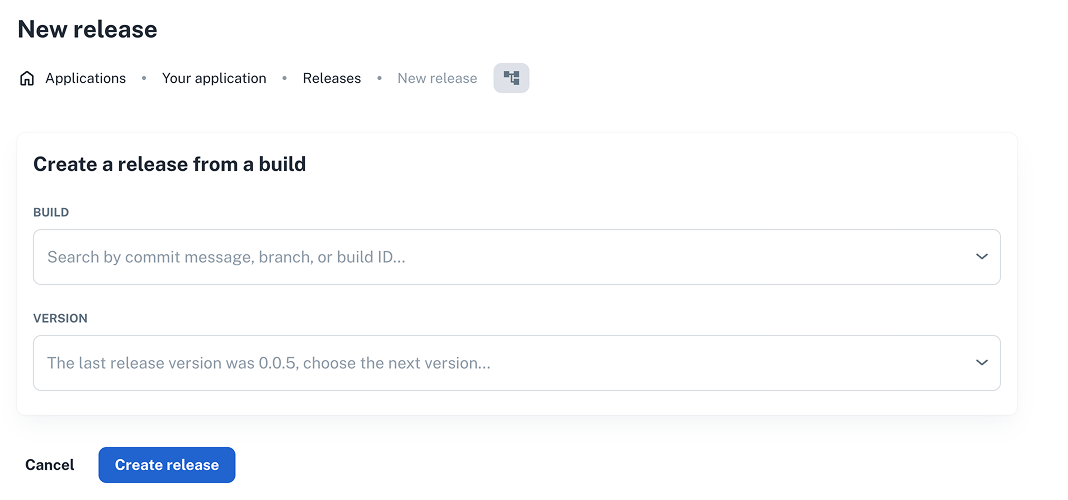
Releasing new versions just got easier. You can now create a release directly from the Releases view without switching pages.
How it works:
- Go to Development > Releases, and click + New release.
- Choose a build (by commit message, branch, or build ID) and select the next version.
- Click Create release to finalize.
This update simplifies the release workflow and helps teams prepare deployments faster with fewer context switches.
✨ Get your personal access token from the UI
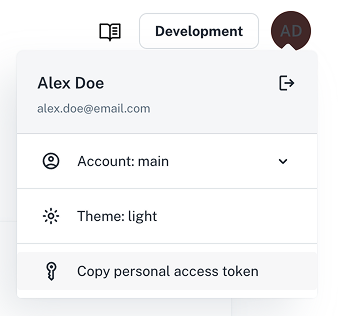
You can now copy your personal access token directly from the nullplatform UI, no extensions or extra setup required.
Just click your user icon in the top-right corner and select Copy personal access token.
From now on, we recommend using this new UI-based method to get your tokens. The legacy Chrome extension will remain available and functional, but it’s no longer actively maintained. That means you can continue using it if needed, but all future updates and support will focus on the UI experience.
👉 See the Authorization docs for more info.
✨ Updates to agent-backed scopes
We shipped two improvements to agent-backed scopes.
File parameters
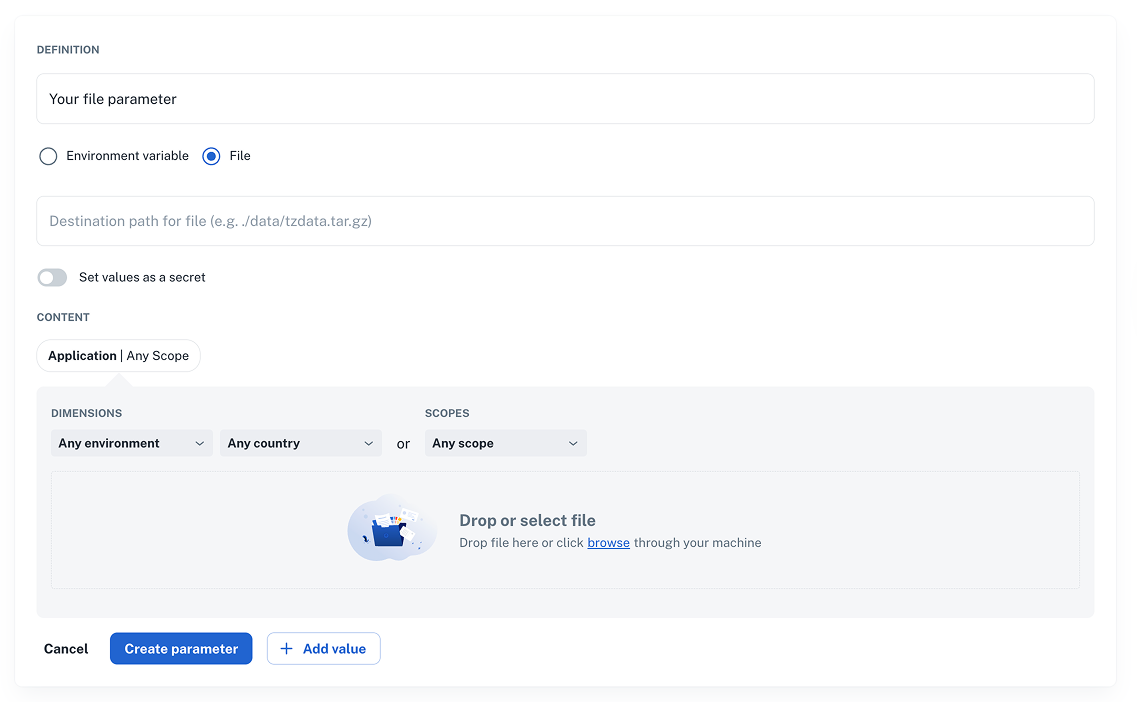
You can now deliver parameters as files for agent-backed scopes. This is useful for shipping configuration files, certificates, or other artifacts alongside your deployments.
How to enable:
- Go to Development > Parameters and click + New parameter.
- Select File and set the destination path for the file.
- Upload your file.
- Click Create parameter to save.
👉 See the Parameters docs for info on file support limitations.
WebSocket support
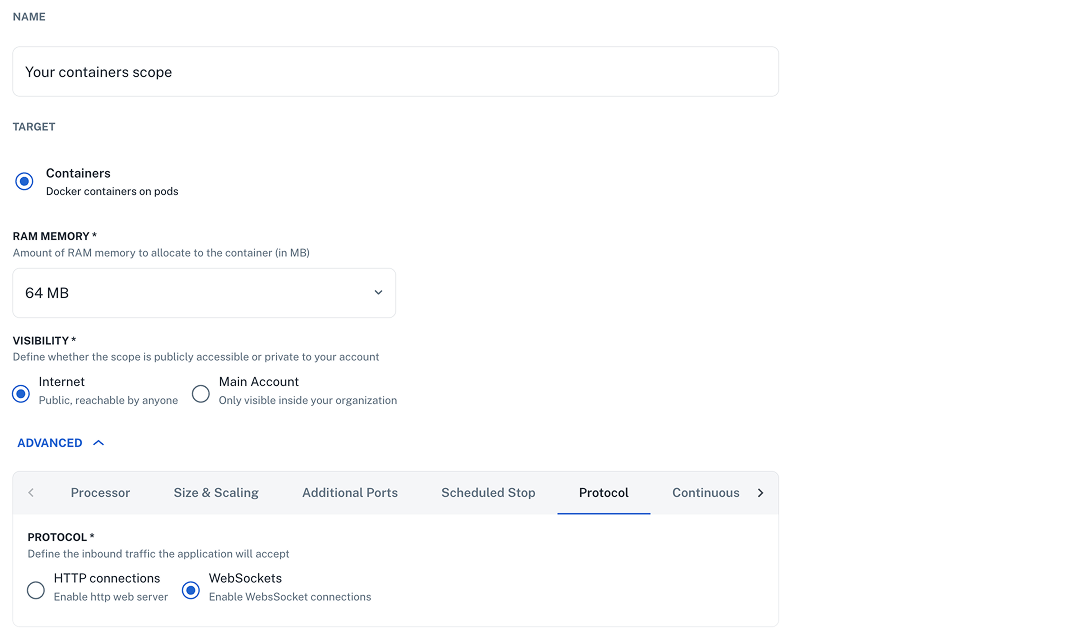
Define inbound WebSocket traffic for your applications so scopes can accept the correct protocols.
Where to enable:
- Go to Development > Scopes and + Create scope.
- Fill in the form with the scope details.
- Click on Advanced, then Protocol.
- Click Create scope to save your changes.
👉 See the Scopes docs for more info.
✨ CLI 2.3.0
We’ve released version 2.3.0 of the nullplatform CLI, bringing new features and fixes.
What’s new:
- New
np account deletecommand. - New
--profileflag fornp nrn read. - New
np templatecommand group for managing templates. - Fixed concurrency and parameter handling issues in
np service workflow exec.
Install the latest version:
curl https://cli.nullplatform.com/install.sh | sh
👉 See the CLI docs for more info.
Wishing you a fantastic month ahead – from the nullplatform team! ❤️